

Download YouTube Downloader ++ – Free, Secure & Fast Video Download Tool for Windows, Mac, Android & iOS
Looking for a reliable way to download YouTube videos? The YouTube Downloader ++ (Unofficial) is a powerful, free, and secure tool that lets you save your favorite videos from YouTube directly to your computer or mobile device. Whether you're downloading music, tutorials, or educational content, this software ensures high-quality downloads without ads, subscriptions, or hidden costs.
With full support for Windows, Mac, Android, and iOS, it’s one of the most versatile video downloaders available today. The intuitive interface makes it easy to use, even for beginners, while advanced users appreciate the format selection and batch download features. All downloads are private—your history stays yours.
No tracking. No data sharing. Just fast, efficient, and seamless video saving.
Key Features of YouTube Downloader ++
YouTube Downloader ++ stands out from the competition thanks to its rich feature set designed for both casual users and power users. One of the most appreciated features is multi-format support, allowing you to download videos in MP4, AVI, MOV, and other popular formats, with options for both video and audio-only (MP3) extraction. This is perfect for music lovers who want to save songs offline or students who need to archive lectures. Another standout feature is batch downloading, which lets you queue multiple videos at once—ideal for saving entire playlists or subscription feeds with just a few clicks.
The tool also includes automatic URL detection, meaning you can simply copy a YouTube link from your browser and paste it into the app, and it instantly detects and prepares the video for download. There’s no need to manually search or enter metadata. The high-speed download engine ensures minimal wait times, even for HD and 4K videos, thanks to optimized connection handling. For users concerned about privacy, the app does not store any data—your download history is never logged or shared. Additionally, the interface is fully customizable, with options to change themes, set default save locations, and enable auto-updates for the latest version.
Advanced users will appreciate the command-line integration and support for youtube-dl backend, which allows for deeper customization and automation. Whether you're using it on your desktop or mobile, the app adapts seamlessly. It’s also completely ad-free and free of in-app purchases, making it one of the cleanest video download tools on the market. With regular updates, the app stays compatible with YouTube’s evolving platform, ensuring uninterrupted use.
How to Install & Use YouTube Downloader ++ on Any Device
Getting started with YouTube Downloader ++ is simple and quick. The installation process varies slightly depending on your device, but the overall experience remains smooth and user-friendly. For Windows users, download the .exe installer from the official website.
Run the file, accept the terms, and follow the on-screen prompts. The setup is lightweight—under 50MB—and doesn’t require admin rights in most cases. Once installed, launch the app and grant it access to your clipboard if prompted (this enables automatic URL detection).
On Mac users, download the .dmg file, open it, and drag the app into the Applications folder. After installation, you may need to go to System Settings > Privacy & Security and allow the app to run, as macOS blocks unsigned software by default. Once approved, the app works instantly.
For Android and iOS, download the mobile version from trusted third-party app stores or the developer’s site. Note: Due to Apple’s strict app review policies, the iOS version may not be available on the App Store. In such cases, sideloading via a trusted platform is recommended.
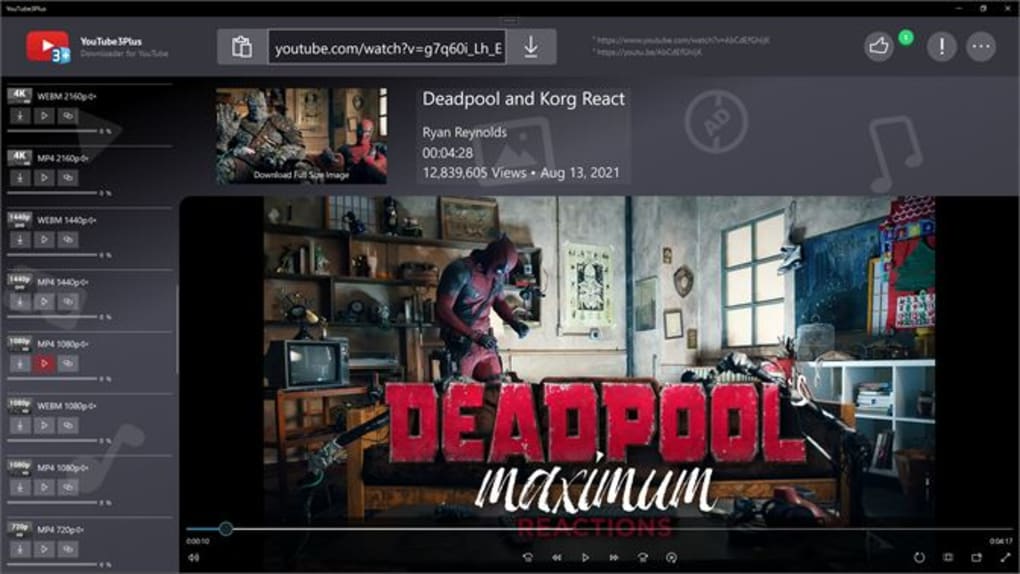
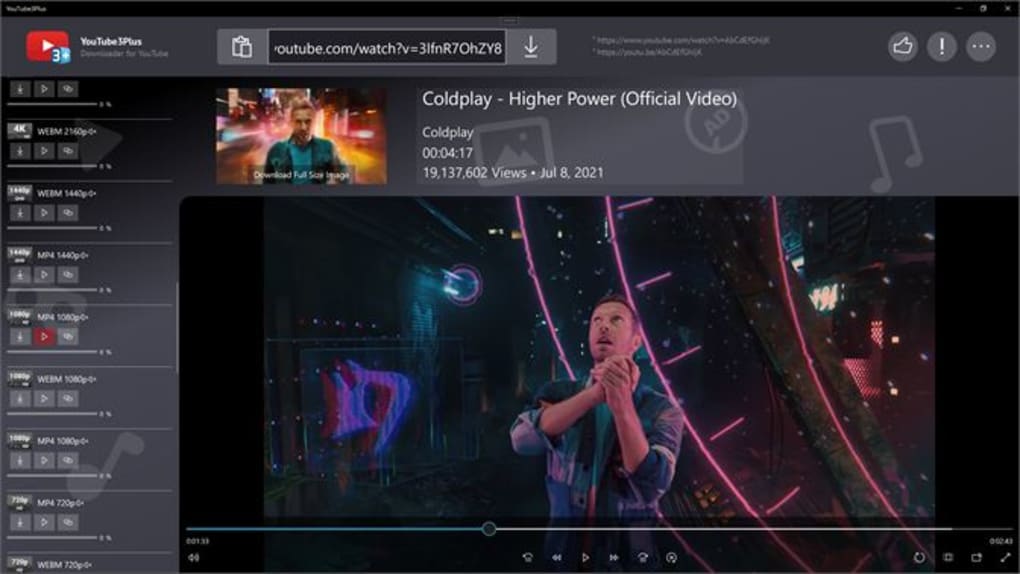
Once installed, open the app, copy any YouTube URL from your browser or YouTube app, and paste it into the downloader. The app will display available formats and qualities. Select your preferred option and tap “Download.” You can also access the download queue and manage files directly from the app’s built-in file manager.
Using the tool is intuitive—just copy, paste, choose, and download. You can even set up scheduled downloads or enable notifications when a file is complete. The app supports background downloads on mobile devices, so you can continue using your phone without interruption.
Compatibility & System Requirements
YouTube Downloader ++ is designed to work across a wide range of platforms, making it one of the most accessible video downloaders today. It supports Windows 7 and later, including Windows 10 and Windows 11, with both 32-bit and 64-bit versions available. For Mac users, the app runs on macOS 10.14 (Mojave) and later, including Apple Silicon (M1/M2) Macs, ensuring smooth performance on newer hardware.
On mobile, the app is available for Android 6.0 (Marshmallow) and above, supporting both smartphones and tablets. For iOS, the app works on iPhone and iPad models running iOS 12 or later, though it may require sideloading due to Apple’s App Store restrictions.
The system requirements are modest. On desktop, you’ll need at least 500MB of free disk space and 1GB of RAM. A stable internet connection is essential for fast downloads, especially for HD or 4K videos. The app doesn’t require a dedicated graphics card or high-end processor, making it ideal for older machines.
One of the biggest advantages is that the app does not require a YouTube Premium subscription to function. It works with any public YouTube video, regardless of whether it’s marked as “unavailable” or “age-restricted.” This makes it a go-to tool for users who want to save content without paying for a service they may not need.
Pros & Cons of YouTube Downloader ++
- Pros:
- Completely free with no ads or in-app purchases
- Supports all major video and audio formats (MP4, MP3, AVI, MOV)
- Batch download and playlist support
- Automatic URL detection via clipboard
- High-speed downloads with minimal bandwidth usage
- Privacy-focused: no data tracking or storage
- Available for Windows, Mac, Android, and iOS
- Regular updates and active developer support
- Cons:
- Unofficial app—may not be available on official app stores
- Some features may break if YouTube changes its site structure
- iOS version requires sideloading (not available on App Store)
- Does not support login or account syncing
- Advanced features require some technical knowledge
Frequently Asked Questions (FAQ)
- Is YouTube Downloader ++ safe to download and use?
Yes, the app is safe when downloaded from the official website. It does not contain malware, spyware, or adware. The developers emphasize privacy and security, and the app runs locally on your device without uploading your data.
- Can I download 4K videos with this tool?
Absolutely. YouTube Downloader ++ supports 4K resolution downloads, provided the original video is available in that quality on YouTube. The app detects and offers all available formats and resolutions.
- Do I need a YouTube account to use this software?
No, you do not need a YouTube account. The tool works with any public video, even if it’s not age-restricted or region-locked (though access may vary based on your location).
- Why isn’t the iOS version available on the App Store?
Due to Apple’s strict policies on content downloading and redistribution, apps that allow video downloads from YouTube are typically rejected. As a result, the iOS version must be sideloaded from trusted sources.
- How often is the app updated?
The developers release updates regularly—usually every 4–6 weeks—to maintain compatibility with YouTube’s latest changes and to fix bugs or improve performance.
Final Verdict: Why You Should Download YouTube Downloader ++ Today
YouTube Downloader ++ is a top-tier, free video download tool that delivers on speed, privacy, and versatility. Whether you're a student saving lecture recordings, a music enthusiast archiving songs, or a content creator building offline libraries, this app is built to meet your needs. Its support for multiple platforms, seamless interface, and commitment to user privacy make it a standout choice in a crowded market.
While it’s an unofficial app and may require sideloading on iOS, the benefits far outweigh the minor setup steps. With no ads, no hidden fees, and no data collection, you can download your favorite videos with peace of mind. The regular updates ensure long-term usability, even as YouTube evolves.
Don’t miss out on the chance to save your favorite content anytime, anywhere. Download YouTube Downloader ++ today and enjoy a fast, secure, and completely free way to keep your favorite videos offline.







